While He Was Napping

momma gets stuff done

  • Home
  • About
  • Archive
  • Do It Yourself
    • Crafts
      • No Sew
      • Painting
      • Paper Crafts
      • Repurpose Projects
      • Vinyl
      • Washi Tape
      • Kid’s Crafts
      • Fonts
    • Sewing
    • Decorate
      • Home Decor
      • Holiday Decor
    • Celebrate
      • DIY Gifts
      • DIY Your Party
  • Recipes
    • Beverages
    • Appetizer
      • Bread
      • Other Appetizers
    • Snacks
    • Main Dish
      • Meat
        • Chicken
        • Beef
        • Pork
        • Seafood
      • Vegetarian
      • Slow Cooker
      • 30 Minute Meals
    • Dips & Sauces
    • Salads
    • Pasta
    • Soup
    • Dessert
      • Cookies
      • Brownies
      • Cupcakes and Cake
      • Box Mix Recipes
      • Other Sweet Treats
    • Breakfast Food
      • Pancakes
      • Waffles
      • Muffins
      • Other Breakfast Food
  • Family
    • Babies
      • Pregnancy
      • Newborns
      • The 1st Year
    • Toddlers
    • Preschoolers
    • Kindergartners
    • 6-8 Year Olds
    • The Grown Ups
      • Date Night
      • Romantic Gifts
    • Self Care
  • For the Home
    • Cleaning
    • Organizing
    • Emergency Preparedness
  • Travel
    • Travel Tricks & Tips
    • Traveling with Kids
  • Tech & Gadgets
    • Must-Have Apps
    • Techy Home Appliances
    • Gadgets & Electronics
    • Blogging Tips
  • Printables
    • Posters
      • Quote Printables
      • Subway Art Printables
    • Printable Organizers
    • Printable Journals
    • Learning Printables & Worksheets
    • LDS Printables
  • Holidays
    • New Year’s
    • Valentine’s Day
    • St. Patrick’s Day
    • Easter
    • Cinco de Mayo
    • Mother’s Day
    • Father’s Day
    • 4th of July
    • Back to School
    • Halloween
    • Thanksgiving
    • Christmas
    • Holiday & Seasonal Printables

March 15, 2012 by Krista

Pinterest: Add a Pinterest Button to All Your Posts

I found a FABULOUS tutorial over at Outnumbered 3 to 1 on how to put a Pin It button on all your posts.  Without having to manually insert the code in every post!  I’m in love.  It’s amazing.  Definitely worth checking out.

Since it’s such a great and easy to follow tutorial, I’ll just link to it and give the well-deserved props {and traffic} where they are due.  {And it’s less for me to type out……..  Just sayin’}.  So, go get your Pin It button on.  Oh, an don’t forget to come back and party with me this weekend.

March 14, 2012 by Krista

Pinterest: Protect Your Work

So now you know how to be a better pinner.  What about your stuff that others are pinning?  Well, today we’re going to talk about protecting your work as a blogger.  As I mentioned briefly, it bothers me when I click on a pin and expect to visit an informative post or article or what have you that will explain the image to me only to find that I’ve been directed to a blog or other site that simply featured the project.  Usually, but not always, there is a link to the original source.  It’s just an extra step… annoying, but not impossible to deal with.  At least I can still get to the original content.  It’s the times when there is no direct link to the source…  ugh, drives me crazy.  The cool photo becomes nothing more than just that.

Source

Enter Pinterest.  One HUGE collection of features from the ginormous universe that is the Internet.  I hate the “Uploaded by User” source tag, unless the photo is explained.  {That’s the only time I really will ever re-pin something with that source tag.  Otherwise, it’s just a photo.}  So, your photo is now on Pinterest… and guess what?  It’s being repinned over and over, seen by thousands of people a day!  But, it wasn’t pinned from your website.  Someone did an image search and pinned your image from the results or your project was featured on another site and pinned from there, so the pin leads somewhere that isn’t your site.  Feeling a little ripped off?  Unfortunately, there isn’t much you can do, but there are a couple of options.

Screenshot via Pinterest on my account

1.  You can leave a comment on the pin with the address to your original post.  The original pinner may or may not fix the source of their pin.  And they may delete your comment, but at least you tried.  Some people don’t understand or care about giving the credit where it’s due and why that is important.
2.  Watermark your images.  This is even more important to do now than ever before.  Claim credit for your work, even if it doesn’t lead back to your original post or image.  People will at least be able to see a website address and can go find you from there.

That’s about all you can do.  But, something is better than nothing right?

You can find a tutorial on watermarking your images HERE.  I now watermark EVERY photo I upload to the internet, including ones I put on our family blog.  I’d be awfully upset if I came across someone claiming photos of my family and kiddos as their own.  I’ve seen it happen.  I watermark my Etsy photos now too (I guess they won’t feature any images with watermarks on the front page?).  I get far more traffic to my Etsy from Pinterest (aka, very little) than I do from Etsy’s front page (aka, none).  After my photo debacle with Google+ I am having to go back to my older posts and make sure that everything has a watermark.  It’s time consuming, but the traffic I receive from Pinterest makes the time worth it.  I want my photos to remain mine, without having to completely remove them.

I want credit for the work I’ve done, I’m sure you do too.  Watermark your photos as you put them up.  This ensures two things.  First, that only images with your mark on them will get pinned.  And, two, you won’t have to spend hours and hours and hours watermarking things later.

I would also suggest making your watermark consistent.  Use the same font or image or whatever you use as your watermark.  Eventually, it will become recognized as yours, even if your site address isn’t written all over the photo.  Play around with it and see what you like the best.  Work toward something that you can keep the same and use on all your photos.  Sites like Pinterest are only going to get bigger and bigger.


Examples of text watermarks

You can create watermarks in a variety of ways, from complex software {like Photoshop} to the basics {like Paint}.  You can even create them online {I used to use Picnik… but not any more, since it’s gone}.  You can save the image on your computer and use it over and over.  You’ll want a .png image if you choose that route.  You can use an image or text or a combination of the two.  I know it’s annoying and time consuming, but if you want to keep the credit for your images, unfortunately it’s a necessity.

March 13, 2012 by Krista

Pinterest: Some Things To Know

Source

Amy at Living Locurto has a couple of posts with some great information about Pinterest.  You can find her original post HERE.  There’s some seriously good info in it and she’s got some other links to more good info.

Do you know what happens to your image once it’s pinned?  Or about how some people are using Pinterest {and your projects, ideas, recipes and photos} for their own gain?  What can you do about it?  Check it out.  It’s very interesting information.

And make sure you check out yesterday’s post for tips on how to be a better pinner.

March 12, 2012 by Krista

Pinterest: Be a Better Pinner

So, I started this post and it just kept going and going and going… like, we’re talking the Energizer bunny kind of going.  So… I decided to break it down and this will be a little mini series.  So, shall we get started?

I’m sure you’ve at least heard of the raging fad that is Pinterest.  If not, you can get all the info on that HERE.  It’s a very awesome tool and I love that it’s versatile, easy to use and available wherever I have an internet connection (although I’m still impatiently waiting for an Android app… hint, hint app developers…).  I don’t have to be on my laptop to access all my bookmarks.  And the social sharing aspect is cool too.  It’s like having tons of eyes all over the internet, because seriously there’s no way I’d have time to go search out all the great things I have pinned.  Anyway, very cool.  If you haven’t checked it out, you should.

Already on the bandwagon?  Awesome.  Are you really a good pinner though?  I’m not talking about what you actually pin, but how you pin it.  I have been spending many a nursing sessions with one hand holding my snuggly little guy and the other hovering over my laptop while I gaze on image after image as I scroll through pin after pin.  Nothing is more frustrating than clicking on an image, expecting to get more info on this totally awesome picture, and I get a blog home page or a Google image search and the photo that originally brought me to the site is NO WHERE to be found!  Or I get a blog post where a project has been featured, but the actual project is on a totally different site.  Does that annoy anyone else?!

I’ll be honest and admit that I’m not sure if it bothers me more as a pin stalker or as a blog author.  It’s frustrating when you’re trying to find more details on a project, recipe, article, ect and you have to go on a wild goose chase to find what you’re looking for (or, even better, waste a bunch of time looking and never finding!).  It’s also frustrating to find other projects that aren’t mine pinned back to my site from a feature post.  People ask me questions about a project I know nothing about.  The project authors worked hard and deserve the links to their site.  And, yes, it bothers me when I don’t get the links back for my work too.

Source

So, how do you become the best pinner you can be?  Always pin from the source.  That’s it in a nutshell.  It does require a little more effort on your part, but you’ll be thankful (and thanked).  You will always be able to find the direct source for your bookmarks.  The soup you saw that looked so delicious… you’ll be able to easily and reliably find the actual recipe unless the source site removes it.  I very, very rarely ever use the repin button.  In fact, I only use it when I am browsing the mobile site from my tablet or phone (and then I try to go back later and repin from the original source) because Android doesn’t have a Pinterest app.  Ugh.  I always visit the source of the pin, especially if I’m repinning, because I get to actually see the content in order to pin it.  That way I know I really do like the idea and want to save it for later.  And sometimes I find a better picture during my visit.

How do you link from the direct source?  For example, when I feature links from Weekend Wander parties, click over to the blog that linked it up before you pin.  It’ll be less frustrating for others that see your pin and want more info because your link will send them directly to the info they want.  It’ll also give the traffic (and credit) to the actual project author, who deserves it.

Instead of pinning from this page, click on the green text link
and visit the actual blog the images came  from originally.
Don’t want to leave this page, right click the link and open in a new tab or window.

{Making all my links open in new tabs is on my to-do list, but it’s somewhere under
“feed the baby”, “bathe the two year old” and “shower”.  It’s a work in progress.}

 If you’re browsing a blog’s homepage, click on the post title before you pin.  That will save the post address as the link on your pin, not just the home page.  If you save the home page, the image and post you pinned originally will eventually get lost in archived pages as more posts go up and your pin will pull up the most recent content.

This is my home page address.
Anything pinned from this page will bring you to my most recently published content,
even if the image you pin is in an older post that has since been archived to older pages.

This is the direct link address to my Rag Edge Burp Cloth tutorial.
Anything pinned from this address will bring you (or anyone else) back to this tutorial.

If you’ve done a Google image search (or any other image search), click on the image and go to the source site before you pin it.  I saw a pin on one of my aunt’s boards a few weeks ago.  It was this printable.  Look familiar?  No?  Check out the watermark in the middle of the print…

I thought “Ooh, hey, she checked out my blog.  That’s cool.”  I don’t advertise my blog much with my family and was pretty sure she isn’t a regular reader, so it was fun to think that maybe she checks it out every so often.  Then I took a closer look.  She had repinned someone else’s pin… who had done a Google image search for “every love story”.  The pin linked to the search results on Google.  Because my aunt had re-pinned the image she had no clue that I’d actually designed and made the print or that it even came from a blog, let alone my blog.  {Or that I even have a blog.}  Not that it really matters, but it illustrates my point.  The only credit I received from that pin, and my aunt’s repin, was from my watermark (and now you know why you should watermark all your photos).  And her repin has since been repinned.  I spent about 2 hours designing and creating that print, a little credit isn’t too much to ask, right?  Google gets plenty of traffic, and I’m working for every visit I get.  This traffic misdirection is especially hard on those bloggers that blog as a profession.  I just blog as a hobby and I don’t loose much more than traffic with poorly cited pins.  Professional bloggers, on the other hand, have a lot more to lose.

One more thing.  Be descriptive with your pin descriptions.  “Ooh, very cool.” doesn’t help me figure out what the heck that’s a picture of!  “Ooh, very cool.  Bookcase made from rain gutters.” is soo much more helpful and I can decide if it’s worth a visit to the source site to check  it out.

Do you have any Pinterest peeves?  Or any other advice on how to be a better pinner?

March 9, 2012 by Krista

Weekend Wander #71

Welcome to this week’s party!  We’re still getting settled in over here and we’ve had some nasty bugs floating around here lately.  {Yesterday, I  was covered in every bodily fluid you can imaging… TMI?  Sorry.  Imagine my disguist…}  I can’t believe my baby is already a month old!  Seems like just yesterday I wasn’t getting any sleep in the hospital room on the maternity floor and the nursery kept sending our kid back because he wouldn’t stop crying and just wanted to be held.  Ahh, good times… and that’s why we only stayed 27 hours.  If I wasn’t going to sleep, I was at least not going to sleep at my own house.  Anywho… I’m still not back into my crafting mojo but I can’t wait to see what you’ve all been up to.

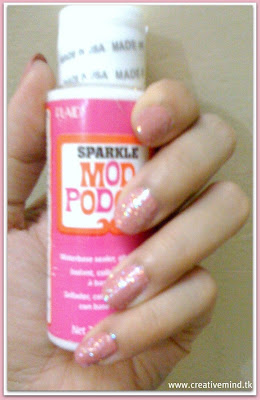
The most viewed link last week was this very neat idea Khadija’s Creative Mind shared. 
 Go check it out for all the details.
A great big thanks to everyone who linked up!
Let’s get another awesome party started… and GO!

  • « Previous Page
  • 1
  • …
  • 132
  • 133
  • 134
  • 135
  • 136
  • …
  • 231
  • Next Page »

I'm Krista. Ringleader here on While He Was Napping, wife to my handsome Mr. Right & momma to my THREE energetic boys, Big J (9), Little J (6) & Little N (4). We FINALLY added a beautiful little girl to our family last December.

I’m knee-deep in Tonka trucks & Thomas trains. I survive our crazy days with Vanilla Coke, Sonic slushies, sweet snuggles and little giggles. When I tuck them in tight & kiss them good night, I get a little time to create & just be me.


It all happened
while (s)he was napping
Want More of My Story?

Privacy Policy

While He Was Napping respects your privacy and is committed to keeping any personal information collected on this website confidential. To find out what information we collect and how it is used or what options you have regarding your information, see our full privacy policy here. Creative Commons License The website found at whilehewasnapping.com and all subdomainsauthored and published by Krista is licensed under a Creative Commons Attribution-NonCommercial-NoDerivs 3.0 Unported License.

Pretty Chic Theme By: Pretty Darn Cute Design